

Modern travel is remarkably streamlined. With a few taps on a smartphone, you can check in for an overseas flight, confirm hotel arrangements, and lock in your international airport car parking before you even start packing your bags. However, this hyper-connected convenience introduces significant digital vulnerabilities. Whenever you travel – whether for business or leisure – you step outside the secure perimeter of your home or office network. In busy transit hubs, travelers frequently connect to untrusted public Wi-Fi networks, plug into unfamiliar charging stations, and handle sensitive documents in crowded public spaces.
Cybercriminals are acutely aware that travelers are often distracted, tired, and relying on public digital infrastructure. From "evil twin" Wi-Fi networks to physical data theft via compromised USB charging ports, the threats facing your personal and financial information are real and evolving. Staying safe online requires the same degree of deliberate planning as managing your travel itinerary. By taking proactive security measures, maintaining strict digital hygiene, and booking services through verified, secure portals, you can keep your data completely locked down. This comprehensive travel guide breaks down everything you need to know to maintain robust cybersecurity and seamless logistics throughout your journey.
Are You Unknowingly Exposing Your Personal Data Every Time You Travel?
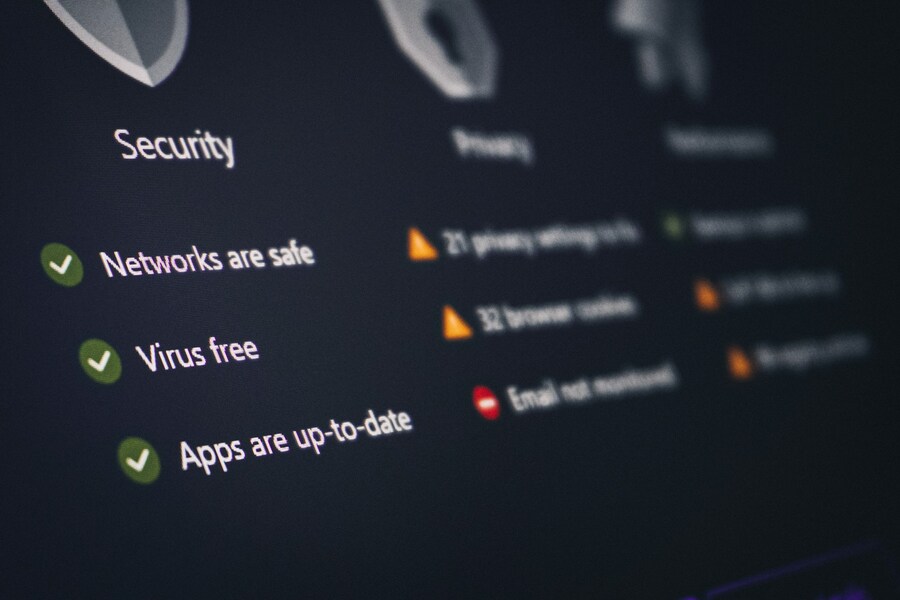
 Source: Philipp Katzenberger/Unsplash
Navigating the cybersecurity landscape while traveling requires a layered defense strategy. Security isn't a single tool or action; it's a mindset that begins long before you arrive at the airport terminal and extends until you return home. By combining digital safeguards with smart logistical choices, you protect both your hardware and your identity from potential threats.
Pre-Departure Protocols: Securing Your Hardware Before Leaving Home
The most effective cybersecurity measures take place before your trip even begins. Preparing your electronic devices at home – on a known, trusted network – ensures that your hardware is fortified before exposure to untrusted environments.
- Implement Full-Disk Encryption. Ensure that full-disk encryption is active across all devices. On Windows laptops, activate BitLocker; on macOS, enable FileVault. iOS and Android devices encrypt data natively when protected by a passcode or strong password. If your device is lost or stolen, encryption prevents unauthorized parties from extracting your files or personal documents.
- Strengthen Authentication. Replace simple four-digit PINs with complex alphanumeric passcodes or six-digit credentials. Enable biometric authentication (Face ID, Touch ID, or fingerprint scanning) to ensure fast, secure access without broadcasting your PIN to onlookers in crowded terminal gates.
- Disable Automatic Connection Settings. Modern smartphones and tablets are engineered to search for and connect to familiar or open networks automatically. Navigate to your device settings and disable both "Auto-Join Wi-Fi Networks" and "Auto-Connect Bluetooth." Leaving these features active allows bad actors to impersonate common public hotspots or pair with your device via Bluetooth without your knowledge.
- Execute Complete Data Backups. Perform a full cloud or external hard drive backup of your laptop, tablet, and smartphone. If your hardware is lost, stolen, or compromised during travel, having a recent backup ensures you can wipe the device remotely without losing critical personal or business assets.
- Store Digital Document Vaults Safely. Make digital copies of your passport, driver's license, travel insurance policies, and itinerary details. Instead of keeping raw JPEG images exposed in your phone's photo library, store them within an encrypted vault app or a password-protected PDF secured behind biometric authentication.
The Dangers of Open Networks: Mastering Public Wi-Fi and Terminal Connectivity
Airport terminals, train stations, hotel lobbies, and coffee shops are notorious hotspots for cyber risks. Public Wi-Fi networks are almost universally unencrypted, meaning any data transmitted across them can potentially be intercepted by third parties sharing the same network.
Understanding Network Security Levels
Different environments carry vastly different security profiles. Home or office Wi-Fi networks protected by WPA3 or WPA2-Enterprise protocols offer high security for standard usage. Cellular data connections (5G/LTE) provided by your mobile carrier are also highly secure and preferred over public Wi-Fi for sensitive tasks.
In contrast, hotel and airport Wi-Fi networks are generally unencrypted or open, offering low to moderate security and requiring a mandatory Virtual Private Network (VPN) for any activity beyond simple browsing. Rogue or unverified hotspots carry critical vulnerabilities and should never be used under any circumstances.
Understanding the "Evil Twin" Attack
Cybercriminals frequently establish rogue wireless access points near popular travel hubs. They name these networks something convincing, such as Free_Airport_Guest_WiFi or Terminal_Lounge_HighSpeed. When unsuspecting travelers connect to an "evil twin" network, all of their internet traffic – including login credentials, credit card details, and personal emails – routes directly through the hacker's machine.
Key Rule. Always verify the precise network name (SSID) and security protocol with staff before connecting to any public Wi-Fi network.
The Role of Virtual Private Networks (VPNs)
If you must connect to public Wi-Fi, using a Virtual Private Network (VPN) is non-negotiable. A VPN creates an encrypted tunnel between your device and a secure remote server. Even if a hacker intercepts your data stream on an open network, they'll only see scrambled, unreadable ciphertext.
When waiting in transit terminals, managing your time and connections efficiently reduces stress and digital risk. For instance, travelers who plan ahead and secure international airport car parking through verified platforms eliminate the hassle of hunting for physical parking tickets or managing last-minute bookings over risky terminal Wi-Fi networks. Making your travel arrangements ahead of time on secure, encrypted networks means fewer transactions conducted over public connections.
Physical Security and Device Protection on the Move
 Source: Zulfugar Karimov/Unsplash
While network threats often dominate cybersecurity conversations, physical security remains equally crucial. A lost or stolen physical device represents an immediate breach of your personal information if not adequately guarded.
Beware of "Juice Jacking" at USB Stations
Public USB charging kiosks located in airport terminals and hotel lobbies carry a hidden risk known as juice jacking. Because standard USB cables transfer both power and data, compromised USB ports can install malware on your device or quietly siphon personal files while your battery charges.
- Use Wall AC Outlets. Carry your own wall adapter and plug directly into standard electrical outlets rather than raw USB ports.
- Invest in USB Data Blockers. If you must use a public USB port, connect a USB data blocker (often called a "USB condom"). This small adapter physically severs the data transfer pins inside the connector while allowing electrical current to flow through safely.
- Carry Portable Power Banks. Charge your own portable battery pack at your home or hotel and use it to recharge your phone while on the go.
Guard Against "Shoulder Surfing" and RFID Scanning
Physical surveillance in crowded spaces is a common method for harvesting sensitive data. Cybercriminals and thieves often watch travelers enter passwords, credit card numbers, or PINs over their shoulders.
- Install Privacy Screen Filters. Use removable privacy screens on laptops and tablets to block side-angle viewing.
- Practice Physical Vigilance. Sit with your back against a wall or barrier when accessing sensitive corporate data or reviewing personal financial accounts in gate lounges.
- Shield Contactless Cards. Modern credit cards and passports contain RFID (Radio-Frequency Identification) chips. Use RFID-blocking wallets or sleeves to prevent malicious close-range scanning devices from capturing your card details in tight crowds.
Safe Financial Transactions, Smart Logistics, and Unlocking Travel Savings
Travel naturally involves financial transactions – from purchasing meals and paying local transit fees to settling parking bills. Protecting your financial accounts requires strategic choices regarding how and where you spend your money online and offline.
Credit Cards vs. Debit Cards on the Road
Never use debit cards for daily travel transactions or online bookings while traveling. Debit cards draw directly from your checking account; if compromised, funds are drained immediately, leaving you without cash while banks investigate.
Credit cards offer far more robust legal protections against fraudulent charges, zero-liability fraud guarantees, and disputed funds remain in suspense during investigations. For maximum protection, digital wallets like Apple Pay or Google Pay tokenize your financial details, meaning your real credit card number is never exposed to merchants or potential eavesdroppers.
Mitigating High Parking Costs with Secure Reservations
One area where travelers frequently face unexpected expenses and security risks is airport ground transportation. On-site airport parking charges per day can quickly escalate, adding hundreds of dollars to your trip costs. Moreover, pulling up to an automated terminal kiosk and swiping your physical card in an unmonitored outdoor reader exposes you to potential payment card skimmers.
To mitigate both financial and security risks:
- Book Off-Site Parking Ahead of Time. Reserving off-site parking prior to your departure date allows you to compare rated facilities, lock in lower rates, and complete payments securely from home.
- Capitalize on Parking Discounts. Utilizing legitimate parking discounts through established reservation systems ensures you secure premium parking spaces with shuttle services at a fraction of standard terminal drive-up costs.
- Use Tokenized Payment Options. Secure booking platforms support digital wallets and encrypted credit card processors. These systems keep your payment details encrypted, ensuring your real financial information remains protected.
Post-Arrival Best Practices: Maintaining Cyber Hygiene at Your Destination
Your cybersecurity obligations don't end once you clear customs or step off the shuttle. Maintaining strict operational security at your hotel or rental property ensures your data remains safe throughout the entirety of your trip.
Handling Hotel Wi-Fi and Shared Computers
Hotel Wi-Fi networks are shared environments with hundreds of unknown users. Treat hotel Wi-Fi with the same skepticism as open airport networks:
- Keep your VPN active at all times while browsing from your hotel room.
- Avoid conducting high-risk transactions – such as logging into brokerage accounts or wire transfer services – on shared hotel networks.
- Never use public business center computers to log into personal email, social media, or banking platforms. Keyloggers and malicious software are frequently installed on public terminal equipment.
What to Do If Your Device Is Lost or Stolen
If a device goes missing despite your best precautions, immediate action minimizes potential damage:
- Initiate Remote Wipe Protocols. Log into your cloud account (e.g., Apple iCloud or Google Find My) from a secondary secure device and execute a remote wipe to erase all stored data on the lost hardware.
- Change Credentials Immediately. Update passwords for all major accounts – starting with primary email, banking, and corporate logins.
- Revoke Device Tokens. Access your active web sessions and revoke authentication access for the lost hardware.
- Notify Financial Institutions. Contact your bank and credit card issuers to flag accounts and issue replacement cards if financial data was saved on the device.
Conclusion

Source: anja./Unsplash
Staying cyber secure on the road doesn't require advanced technical expertise; it simply requires situational awareness, deliberate preparation, and smart logistics. By setting up strong passcodes, enabling full-disk encryption, utilizing VPNs on public networks, and remaining vigilant against physical risks like juice jacking, you can explore the world without compromising your identity or personal information.
Smart travel management involves streamlining every phase of your journey – from digital security to ground logistics. Protecting your personal data goes hand-in-hand with reserving travel services through trusted, encrypted channels.
When planning your next business trip or vacation, streamline your ground transportation with ParkingNearAirports.io. By using our reservation system, you gain access to top-rated, secure off-site parking facilities near major hubs across North America. Avoid expensive drive-up terminal rates, leverage verified discounts, and enjoy a seamless, stress-free parking experience from departure to return. Safe travels – and stay secure!


